Project managers
Keep the schedule and the budget on one screen. Drag a phase and watch the cash impact before you commit to it.
See every dollar against the timeline before it moves. cash2schedule incorporates payment applications, retainage, and costs into automatic Gantt charts, cash-flow tables, and a forecast that flags shortfalls before they happen.
Built for the way contractors actually get paid
One place to assign cost and revenue to your schedule, watch cash move with every drag, and forecast shortfalls before they hit the bank.
The day-to-day tools contractors lean on to keep cash and schedule moving together.
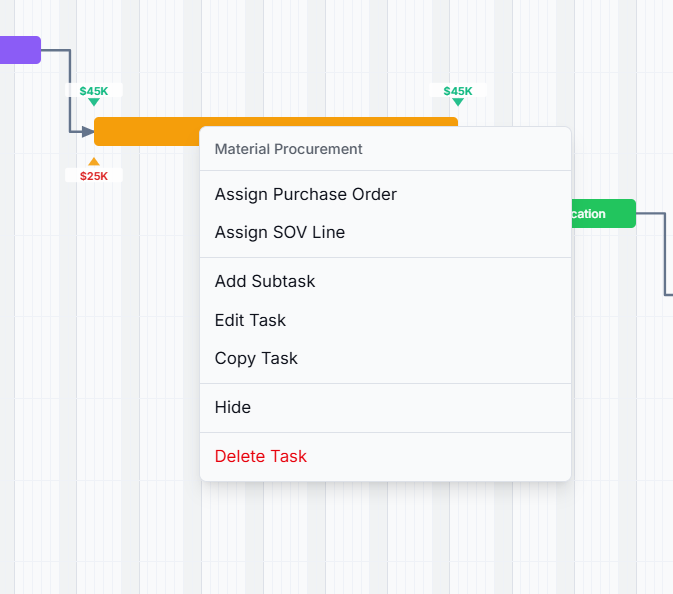
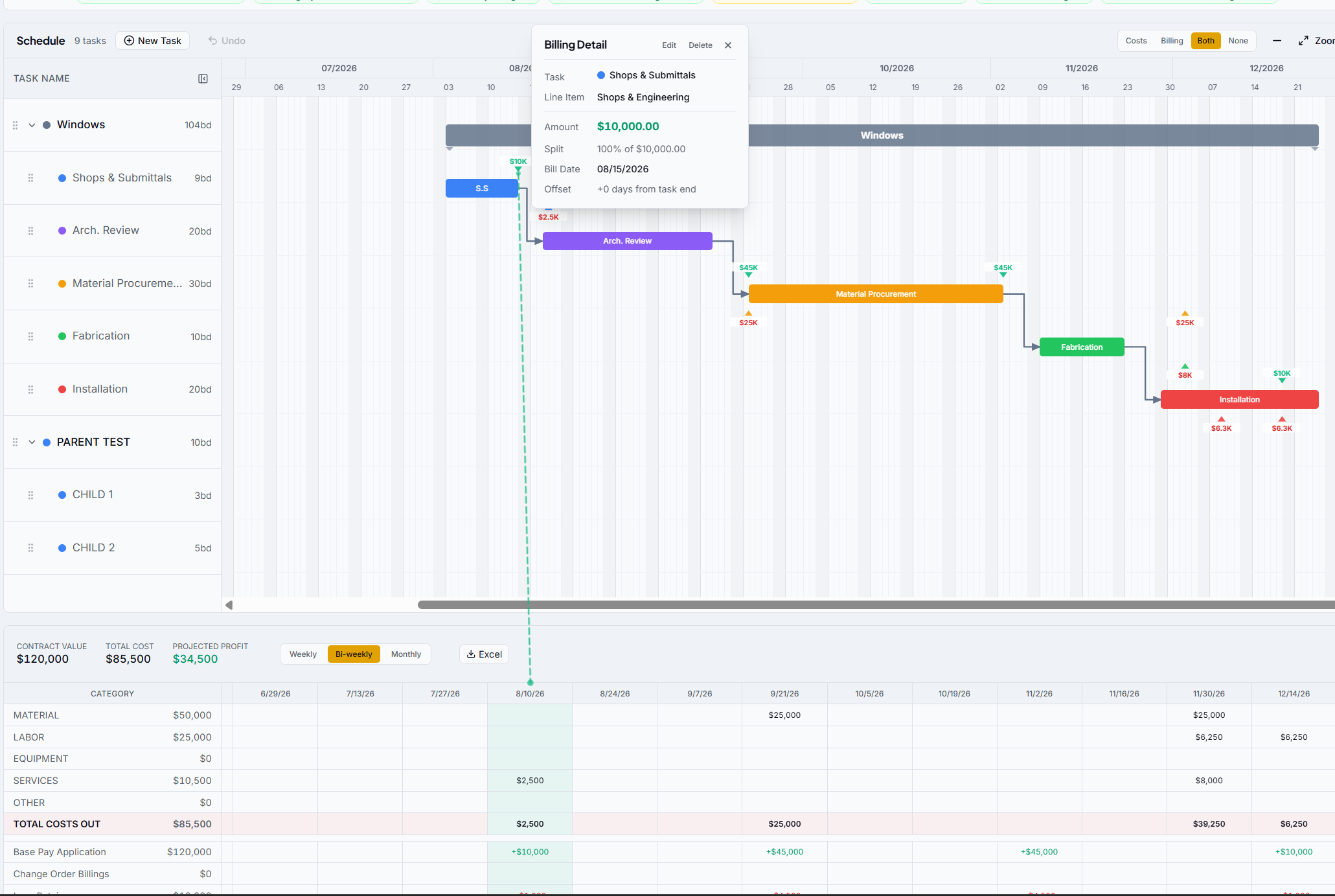
A purchase order or billing line is just a number until you tie it to a task. cash2schedule turns each one into dated cash events, anchored to the schedule with flexible payment splits — billing date and cash-in date recognized separately, retainage included. Every dollar has to land somewhere, so the forecast total always equals your real contracted cost and revenue.
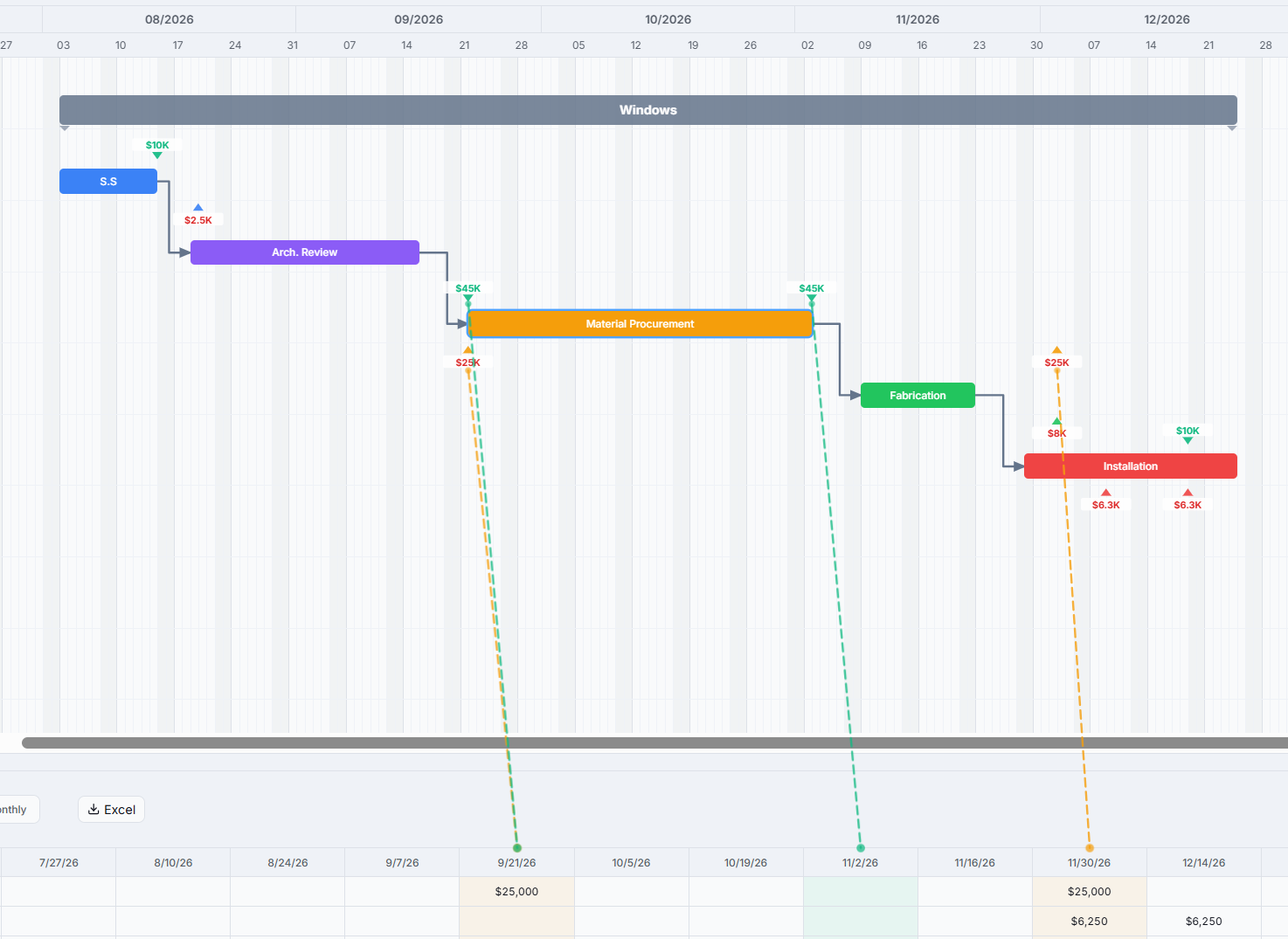
Pull a bar to a new date and the cascade does the rest: downstream tasks shift forward, parent bars re-fit, and every cost and billing anchored to the task re-lands in its new period. The cash-flow grid redraws the instant you let go, with no re-keying and no broken formulas.
Your standard job types already have a shape. Save any branch of a schedule as a template (tasks, timing, hierarchy, colors, and dependencies), then apply it onto the next job, anchored to whatever start date you choose. Every company starts with its own standard template — we build it with you during onboarding.
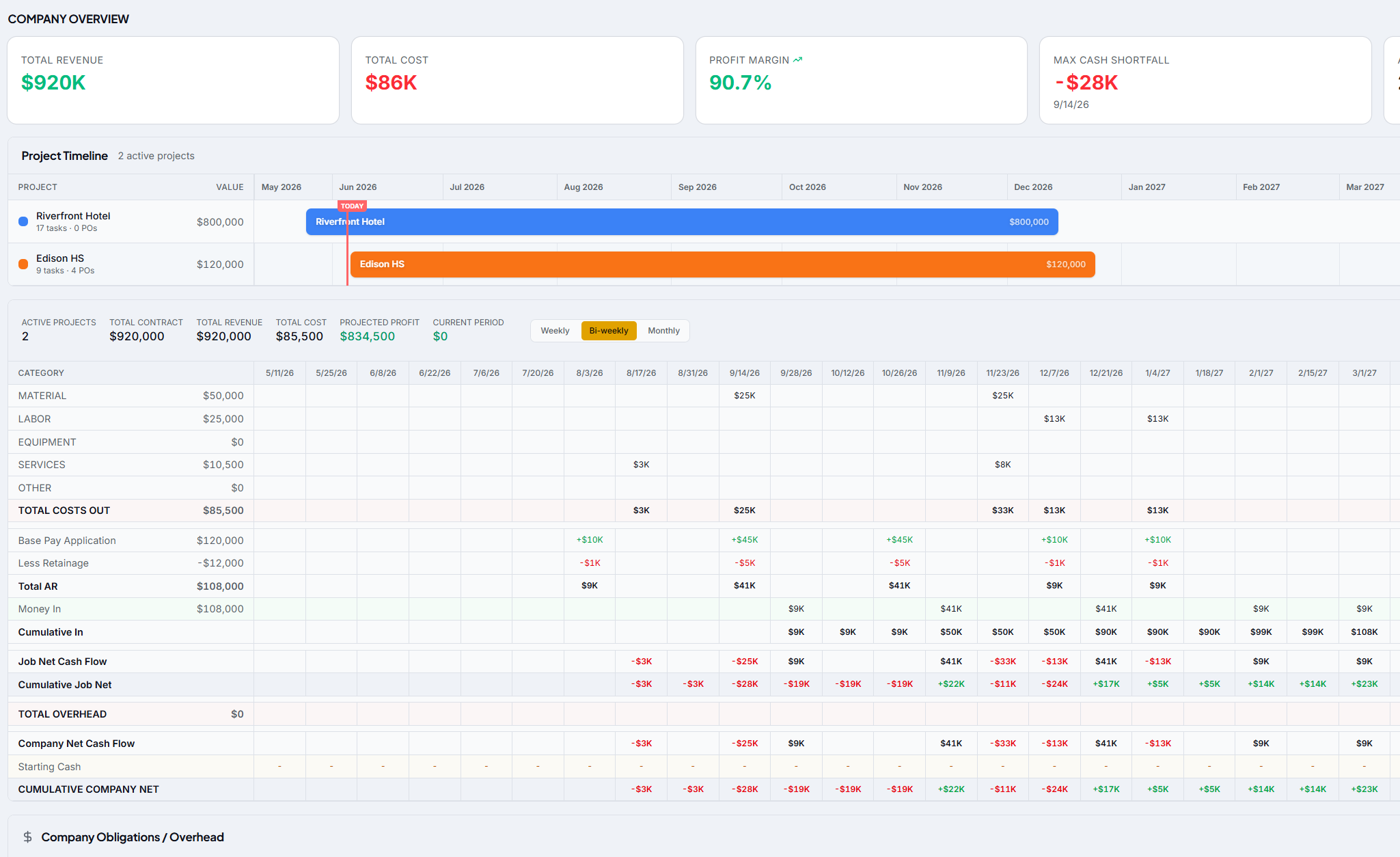
Read one job's cash flow, then pull back to the whole company. The dashboard merges every job's forecast period by period and layers in company obligations like rent, payroll, insurance, and software to surface your Max Cash Shortfall: the deepest company-wide dip and the month it lands. Enter a real bank balance as Starting Cash and the forecast shows actual dollars, not just the change.
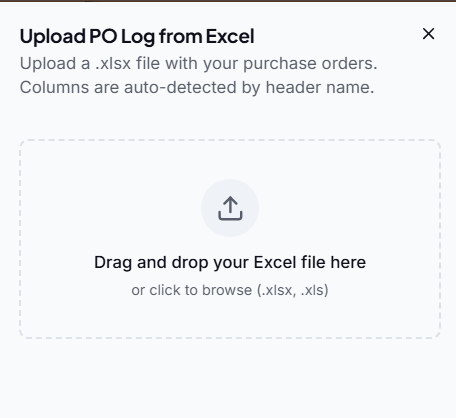
Already tracking POs on another platform? Export the log, drag the file in, and cash2schedule auto-detects the columns across common spellings, cleans the data, and skips summary, cancelled, and $0 rows. Import in Add & update mode and it adds new POs and updates matching ones while preserving every assignment you've already made, with no manual reconciliation.
From a single superintendent in the field to the finance team in the back office, everyone works off the same numbers.
Keep the schedule and the budget on one screen. Drag a phase and watch the cash impact before you commit to it.
Pull back to the company view, apply overhead, and know your true margin across every active job in a glance.
Pay apps, retainage, and costs line up automatically. PO logs auto-map, so reconciliation stops eating your week.
A clean schedule that reflects reality. Update progress and the office sees the cash consequences instantly.
cash2schedule is built to be simple enough for the field and precise enough for finance. Get all your active jobs into the software within an hour or two — no year-long implementation and no consultant required.
Enter each job's schedule, then upload its PO log — existing POs map automatically, so you start with your real numbers instead of a blank page.
Drop costs and revenue onto each phase, or pre-load a saved flow chart and adjust from there.
Switch to the company view, layer in overhead, and send a forecast that flags shortfalls before they hit.
"For the first time we can see a shortfall coming six months out instead of finding it at the draw. We moved two jobs' worth of cash planning into cash2schedule and dropped the spreadsheets entirely."
Get a walkthrough on one of your real jobs. We'll load it, assign the cash, and show you the forecast in under 30 minutes.
Cash flow, scheduled.